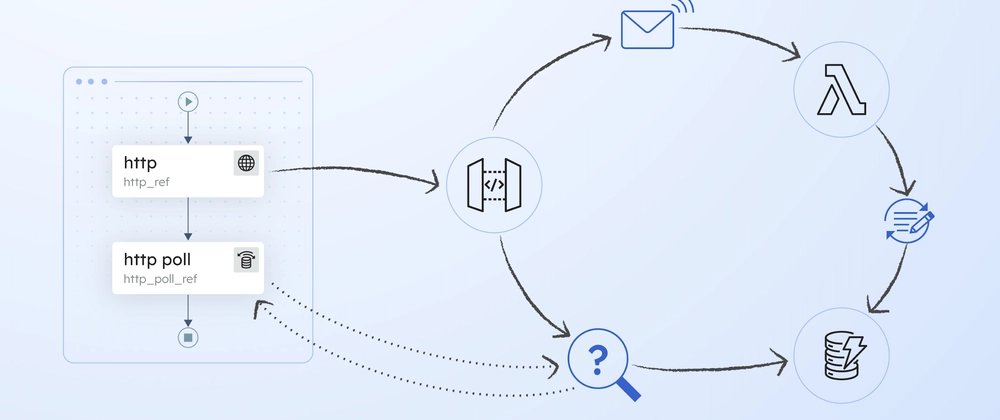
图片生成通常要等几十秒。用户提交任务后如果离开页面,再回来时仍然应该看到进度,而不是重新生成一次。
异步任务模型
AI 图片生成不是即时的——从提交到生成完成可能需要几十秒甚至几分钟。状态模型:
1
2
| pending → processing → completed
→ failed
|
 1
 2
 3
 4
 5
 6
 7
 8
 9
10
11
12
13
14
| // src/db/schema.ts
export const generatedImageTable = sqliteTable("generated_images", {
id: text("id").primaryKey(),
userId: text("user_id").notNull().references(() => users.id),
prompt: text("prompt").notNull(),
imageUrl: text("image_url"),
status: text("status", {
enum: ["pending", "processing", "completed", "failed"],
}).notNull().default("pending"),
creditsUsed: integer("credits_used").notNull().default(1),
createdAt: integer("created_at", { mode: "timestamp" })
.notNull().$defaultFn(() => new Date()),
});
|
提交任务
 1
 2
 3
 4
 5
 6
 7
 8
 9
10
11
12
13
14
15
16
17
18
19
20
21
22
23
24
25
26
27
28
29
30
31
32
33
34
35
36
37
38
39
| // src/sites/image-gen/site.actions.ts
export const generateImageAction = actionClient
.inputSchema(generateImageSchema)
.action(async ({ parsedInput: input }) => {
return withRateLimit(async () => {
const session = await requireVerifiedEmail();
// 检查积分
const db = getDB();
const user = await db.query.userTable.findFirst({
where: eq(userTable.id, session.user.id),
});
if ((user?.currentCredits ?? 0) < CREDITS_PER_GEN) {
throw new ActionError("PAYMENT_REQUIRED", "Insufficient credits");
}
// 扣除积分
await consumeCredits(
session.user.id,
CREDITS_PER_GEN,
`Image generation: ${input.prompt.slice(0, 100)}`
);
// 创建任务(status: pending)
const [task] = await db.insert(generatedImageTable).values({
userId: session.user.id,
prompt: input.prompt,
status: "pending",
creditsUsed: CREDITS_PER_GEN,
}).returning();
// 触发后台处理(异步,不阻塞返回)
processImageGeneration(task.id).catch(console.error);
return { taskId: task.id };
}, RATE_LIMITS.SETTINGS);
});
|
关键设计:
- 提交后立即返回
taskId,不等待生成完成 - 后台异步处理,失败时退款积分
- 前端拿到
taskId 后可以跳转到历史页查看进度
状态轮询
 1
 2
 3
 4
 5
 6
 7
 8
 9
10
11
12
13
14
15
16
17
18
19
20
21
22
23
| // src/sites/image-gen/site.client.tsx
export function ImageGenClient({ isLoggedIn }: { isLoggedIn: boolean }) {
const [pendingCount, setPendingCount] = useState(0);
const { execute, status } = useAction(generateImageAction, {
onSuccess: ({ data }) => {
if (!data?.taskId) return;
setPendingCount((n) => Math.max(0, n - 1));
toast.success("Generation started! Check History for the result.", {
action: {
label: "View History",
onClick: () => router.push("/history"),
},
});
},
onError: ({ error }) => {
setPendingCount((n) => Math.max(0, n - 1));
// 积分已退还,提示用户
toast.error(error.serverError?.message ?? "Failed to submit");
},
});
|
提交后跳转到历史页面,历史页面通过轮询获取最新状态。
跨页面恢复
用户可能在生成过程中离开页面,回来时需要知道哪些任务还在进行中。解决方法是:Server Component 在页面加载时搜索进行中的任务。
 1
 2
 3
 4
 5
 6
 7
 8
 9
10
11
12
13
14
15
16
17
18
19
20
21
22
23
24
25
26
27
28
29
30
31
32
| // src/app/(sites)/image-gen/page.tsx
export default async function ImageGenPage() {
const session = await getSessionFromCookie();
const userId = session?.user?.id;
// 查找最近的处理中任务
let processingTaskId: string | null = null;
if (userId) {
const db = getDB();
const processingTask = await db.query.generatedImageTable.findFirst({
where: and(
eq(generatedImageTable.userId, userId),
or(
eq(generatedImageTable.status, IMAGE_GEN_STATUS.PROCESSING),
eq(generatedImageTable.status, IMAGE_GEN_STATUS.PENDING)
)
),
columns: { id: true },
orderBy: (table, { desc }) => [desc(table.createdAt)],
});
processingTaskId = processingTask?.id ?? null;
}
return (
<ImageGenClient
isLoggedIn={Boolean(userId)}
processingTaskId={processingTaskId}
/>
);
}
|
Server Component 预加载
Server Component 在渲染前就查询了进行中的任务,这样客户端组件初始化时就能拿到状态,不需要额外请求。这就是 RSC 的优势——数据获取和渲染在同一个请求中完成。
总结
- 异步任务模型:提交后立即返回,后台处理
- 积分在提交时扣除,失败时退款
- Server Component 预加载进行中任务,实现跨页面恢复
- 前端轮询获取最新状态,展示给用户