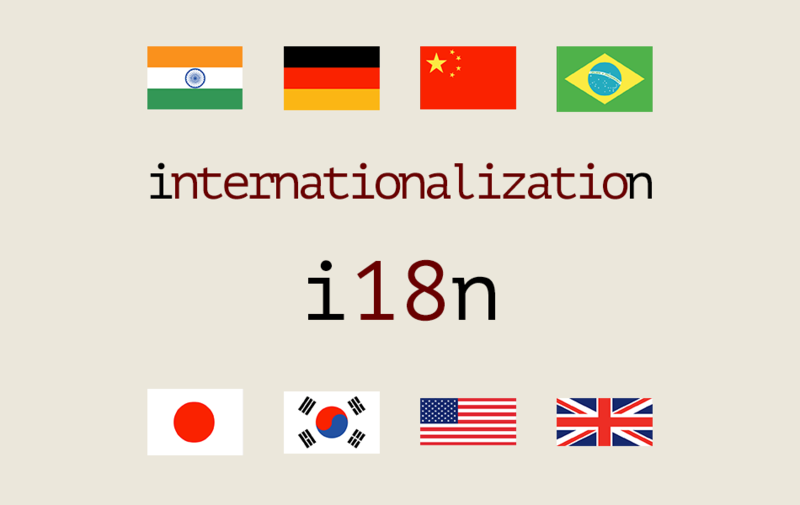
Featured image of post 自建类型安全的多语言 i18n 方案

自建类型安全的多语言 i18n 方案

为什么不用 next-intl

next-intl 是最流行的 Next.js 国际化方案,但有几个问题:

  • 需要在路由层面做语言切换(/en/xxx/zh/xxx),改动较大
  • 对于 RuiToolAI 这种主要面向英文用户的产品,路由级别的 i18n 过于复杂

所以选择了自建一个轻量的 i18n 方案,核心特点是编译期类型检查

方案设计

1
2
3
4
5
6
7
src/i18n/
  keys.ts          # 所有翻译 key 的联合类型
  messages.ts      # createT 函数
  locale.ts        # 获取当前语言
  locales/
    en.ts          # 英文翻译
    zh.ts          # 中文翻译(可选)

Key 的类型定义

所有翻译 key 定义为 TypeScript 联合类型:

 1
 2
 3
 4
 5
 6
 7
 8
 9
10
11
12
13
14
15
16
17
18
19
20
21
22
23
24
25
26
27
28
29
30
31
32
33
34
35
36
37
38
// src/i18n/keys.ts
export type I18nKey =
  // Navigation
  | "nav.home"
  | "nav.pricing"
  | "nav.docs"

  // Auth
  | "auth.signIn"
  | "auth.signUp"
  | "auth.signOut"
  | "auth.email"
  | "auth.password"

  // Landing
  | "landing.hero.title"
  | "landing.hero.description"
  | "landing.features.title"
  | "landing.testimonials.title"
  | "landing.testimonials.subtitle"
  | "landing.testimonials.description"

  // Sidebar
  | "sidebar.dashboard"
  | "sidebar.billing"
  | "sidebar.settings"
  | "sidebar.history"
  | "sidebar.adminPanel"

  // Footer
  | "footer.copyright"
  | "footer.socialXSrOnly"
  | "footer.socialInstagramSrOnly"
  | "footer.socialEmailSrOnly"

  // Errors
  | "error.notFound"
  | "error.serverError";

关键点: 这是一个 TypeScript 联合类型,不是枚举。这意味着:

  • 使用不存在的 key 会在编译期报错
  • IDE 有自动补全
  • 重命名 key 时,TypeScript 会提示所有使用处

翻译文件

 1
 2
 3
 4
 5
 6
 7
 8
 9
10
11
12
13
14
15
16
17
18
19
20
21
22
23
24
25
26
27
28
29
30
31
32
33
34
35
36
// src/i18n/locales/en.ts
import type { I18nKey } from "../keys";

// Record<I18nKey, string> 确保所有 key 都有翻译
export const en: Record<I18nKey, string> = {
  "nav.home": "Home",
  "nav.pricing": "Pricing",
  "nav.docs": "Docs",

  "auth.signIn": "Sign In",
  "auth.signUp": "Sign Up",
  "auth.signOut": "Sign Out",
  "auth.email": "Email",
  "auth.password": "Password",

  "landing.hero.title": "AI-Powered Creative Platform",
  "landing.hero.description": "Generate professional images in seconds",
  "landing.features.title": "Everything you need to create",
  "landing.testimonials.title": "Loved by Creators Worldwide",
  "landing.testimonials.subtitle": "Testimonials",
  "landing.testimonials.description": "Hear what our users have to say",

  "sidebar.dashboard": "Dashboard",
  "sidebar.billing": "Billing",
  "sidebar.settings": "Settings",
  "sidebar.history": "History",
  "sidebar.adminPanel": "Admin Panel",

  "footer.copyright": "© 2026 RuiToolAI. All rights reserved.",
  "footer.socialXSrOnly": "X (Twitter)",
  "footer.socialInstagramSrOnly": "Instagram",
  "footer.socialEmailSrOnly": "Email",

  "error.notFound": "Page not found",
  "error.serverError": "Something went wrong",
};

如果漏掉某个 key,TypeScript 会报错:

1
2
Type '{ "nav.home": string; ... }' is missing the following properties
from type 'Record<I18nKey, string>': "error.serverError"

服务端使用

 1
 2
 3
 4
 5
 6
 7
 8
 9
10
11
12
// src/i18n/messages.ts
import type { I18nKey } from "./keys";
import { en } from "./locales/en";

const locales = { en };

export function createT(locale: string) {
  const messages = locales[locale as keyof typeof locales] ?? en;
  return function t(key: I18nKey): string {
    return messages[key] ?? key;
  };
}

在 Server Component 中使用:

 1
 2
 3
 4
 5
 6
 7
 8
 9
10
11
12
13
14
15
16
// src/components/landing/testimonials.tsx
import { getRequestLocale } from "@/i18n/locale";
import { createT } from "@/i18n/messages";

export async function Testimonials() {
  const locale = await getRequestLocale();
  const t = createT(locale);

  return (
    <div>
      <h2>{t("landing.testimonials.subtitle")}</h2>
      <h1>{t("landing.testimonials.title")}</h1>
      <p>{t("landing.testimonials.description")}</p>
    </div>
  );
}

客户端使用

客户端组件不能直接调用 getRequestLocale(Server 函数),需要通过 props 传入:

 1
 2
 3
 4
 5
 6
 7
 8
 9
10
11
12
13
14
15
16
17
18
19
20
21
22
23
24
25
26
// Server Component
export async function Sidebar() {
  const locale = await getRequestLocale();
  const t = createT(locale);

  return (
    <SidebarClient
      labels={{
        dashboard: t("sidebar.dashboard"),
        billing: t("sidebar.billing"),
        history: t("sidebar.history"),
      }}
    />
  );
}

// Client Component
export function SidebarClient({ labels }) {
  return (
    <nav>
      <a href="/dashboard">{labels.dashboard}</a>
      <a href="/dashboard/billing">{labels.billing}</a>
      <a href="/history">{labels.history}</a>
    </nav>
  );
}

添加新翻译的流程

  1. src/i18n/keys.ts 添加新 key:
1
2
3
4
export type I18nKey =
  // ...
  | "landing.newSection.title"  // 新增
  | "landing.newSection.description";  // 新增
  1. src/i18n/locales/en.ts 添加翻译(TypeScript 会报错提醒你):
1
2
3
4
5
export const en: Record<I18nKey, string> = {
  // ...
  "landing.newSection.title": "New Section",
  "landing.newSection.description": "Description here",
};
  1. 在组件中使用:
1
2
const t = createT(locale);
<h2>{t("landing.newSection.title")}</h2>

总结

这个自建 i18n 方案的核心优势:

特性说明
编译期检查用了不存在的 key 直接报错
自动补全IDE 提示所有可用 key
零运行时错误不会出现 key 找不到的情况
轻量不依赖任何第三方库
简单整个方案不到 100 行代码

对于不需要路由级别语言切换的项目,这个方案比 next-intl 更简单,而且类型安全性更好。

使用 Hugo 构建
主题 StackJimmy 设计