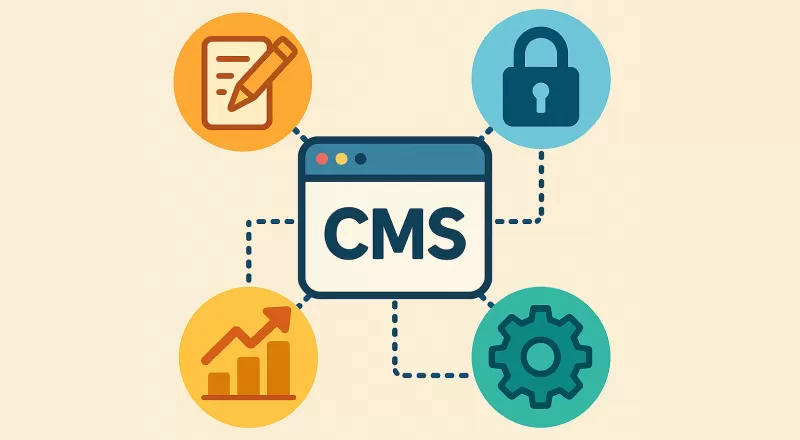
为什么自建 CMS
RuiToolAI 需要管理:
- 网站导航(顶部菜单、Footer 链接)
- 博客文章、文档页面
- 媒体资源(图片、文件)
- FAQ 内容
用第三方 CMS(Contentful、Sanity)需要额外付费,而且数据不在自己手里。自建 CMS 虽然工作量大,但完全可控,而且可以复用到其他站点。
数据库表设计
导航节点表
 1
 2
 3
 4
 5
 6
 7
 8
 9
10
| export const cmsNavigationNodeTable = sqliteTable("cms_navigation_node", {
id: text().primaryKey(),
label: text().notNull(),
href: text(),
parentId: text().references(() => cmsNavigationNodeTable.id),
position: integer().notNull().default(0),
isExternal: integer({ mode: "boolean" }).default(false),
createdAt: integer({ mode: "timestamp" }).notNull(),
updatedAt: integer({ mode: "timestamp" }).notNull(),
});
|
内容条目表
 1
 2
 3
 4
 5
 6
 7
 8
 9
10
11
12
13
| export const cmsEntryTable = sqliteTable("cms_entry", {
id: text().primaryKey(),
slug: text().notNull().unique(),
title: text().notNull(),
content: text(), // 富文本 HTML
excerpt: text(),
status: text({
enum: ["draft", "published"]
}).notNull().default("draft"),
publishedAt: integer({ mode: "timestamp" }),
createdAt: integer({ mode: "timestamp" }).notNull(),
updatedAt: integer({ mode: "timestamp" }).notNull(),
});
|
媒体资源表
 1
 2
 3
 4
 5
 6
 7
 8
 9
10
11
| export const cmsMediaTable = sqliteTable("cms_media", {
id: text().primaryKey(),
filename: text().notNull(),
r2Key: text().notNull(),
mimeType: text().notNull(),
size: integer().notNull(),
width: integer(),
height: integer(),
alt: text(),
createdAt: integer({ mode: "timestamp" }).notNull(),
});
|
导航管理
导航支持多级嵌套,通过 parentId 实现树形结构:
 1
 2
 3
 4
 5
 6
 7
 8
 9
10
11
12
13
14
15
16
17
18
19
20
21
| // 查询导航树
export async function getNavigationTree() {
const db = getDB();
const nodes = await db.query.cmsNavigationNodeTable.findMany({
orderBy: (table, { asc }) => [asc(table.position)],
});
// 构建树形结构
const nodeMap = new Map(nodes.map(n => [n.id, { ...n, children: [] }]));
const roots: typeof nodes = [];
for (const node of nodeMap.values()) {
if (node.parentId) {
nodeMap.get(node.parentId)?.children.push(node);
} else {
roots.push(node);
}
}
return roots;
}
|
拖拽排序
管理后台支持拖拽排序,更新 position 字段:
 1
 2
 3
 4
 5
 6
 7
 8
 9
10
11
| export const updateNavigationPositionsAction = actionClient
.inputSchema(updatePositionsSchema)
.action(async ({ parsedInput }) => {
const db = getDB();
for (const { id, position } of parsedInput.positions) {
await db
.update(cmsNavigationNodeTable)
.set({ position })
.where(eq(cmsNavigationNodeTable.id, id));
}
});
|
页面内容管理
Tiptap 富文本编辑器
 1
 2
 3
 4
 5
 6
 7
 8
 9
10
11
12
13
14
15
16
17
18
19
20
21
22
23
24
25
26
27
28
| // src/app/(admin)/admin/cms/entries/[id]/editor.client.tsx
"use client";
import { useEditor, EditorContent } from "@tiptap/react";
import StarterKit from "@tiptap/starter-kit";
import Image from "@tiptap/extension-image";
import Link from "@tiptap/extension-link";
export function ContentEditor({ content, onChange }) {
const editor = useEditor({
extensions: [
StarterKit,
Image,
Link.configure({ openOnClick: false }),
],
content,
onUpdate: ({ editor }) => {
onChange(editor.getHTML());
},
});
return (
<div className="border rounded-lg overflow-hidden">
<Toolbar editor={editor} />
<EditorContent editor={editor} className="prose max-w-none p-4" />
</div>
);
}
|
内联编辑
管理员在前台页面可以直接点击内容进行编辑,不需要跳转到后台:
 1
 2
 3
 4
 5
 6
 7
 8
 9
10
11
12
13
14
15
16
| // 检测是否是管理员
const { data: session } = useSessionStore();
const isAdmin = session?.user?.role === "admin";
return (
<div>
{isAdmin ? (
<InlineEditor
content={entry.content}
onSave={(html) => updateEntryAction({ id: entry.id, content: html })}
/>
) : (
<div dangerouslySetInnerHTML={{ __html: entry.content }} />
)}
</div>
);
|
媒体资源管理
上传文件
 1
 2
 3
 4
 5
 6
 7
 8
 9
10
11
12
13
14
15
16
17
18
19
20
21
22
23
24
25
26
27
| export const uploadCmsMediaAction = actionClient
.inputSchema(uploadMediaSchema)
.action(async ({ parsedInput }) => {
const { file, alt } = parsedInput;
const { env } = await getCloudflareContext();
const fileId = createId();
const ext = file.name.split(".").pop();
const r2Key = `cms/media/${fileId}.${ext}`;
// 上传到 R2
await env.USER_UPLOADS_BUCKET.put(r2Key, await file.arrayBuffer(), {
httpMetadata: { contentType: file.type },
});
// 保存到 DB
const db = getDB();
await db.insert(cmsMediaTable).values({
id: `media_${fileId}`,
filename: file.name,
r2Key,
mimeType: file.type,
size: file.size,
alt,
createdAt: new Date(),
});
});
|
删除文件
 1
 2
 3
 4
 5
 6
 7
 8
 9
10
11
12
13
14
15
16
17
18
19
20
21
| export const deleteCmsMediaAction = actionClient
.inputSchema(z.object({ id: z.string() }))
.action(async ({ parsedInput }) => {
const db = getDB();
const media = await db.query.cmsMediaTable.findFirst({
where: eq(cmsMediaTable.id, parsedInput.id),
});
if (!media) throw new ActionError("NOT_FOUND", "Media not found");
// 删除 R2 文件
const { env } = await getCloudflareContext();
await env.USER_UPLOADS_BUCKET.delete(media.r2Key);
// 删除 DB 记录
await db.delete(cmsMediaTable)
.where(eq(cmsMediaTable.id, parsedInput.id));
// 清除 KV 缓存
await invalidateCmsCache();
});
|
管理后台
管理后台的路由结构:
1
2
3
4
5
6
7
| /admin
/admin/users # 用户管理
/admin/users/[id] # 用户详情
/admin/cms # CMS 概览
/admin/cms/navigation # 导航管理
/admin/cms/entries # 内容管理
/admin/cms/media # 媒体管理
|
权限控制:
 1
 2
 3
 4
 5
 6
 7
 8
 9
10
| // src/app/(admin)/layout.tsx
export default async function AdminLayout({ children }) {
const session = await getSessionFromCookie();
if (!session || session.user.role !== "admin") {
redirect("/sign-in");
}
return <>{children}</>;
}
|
总结
自建 CMS 的核心模块:
| 模块 | 功能 |
|---|
| 导航管理 | 树形结构、拖拽排序 |
| 内容管理 | Tiptap 富文本、内联编辑 |
| 媒体管理 | R2 存储、图片预览 |
| 权限控制 | Admin 角色验证 |
自建 CMS 的好处是完全可控,可以根据业务需求定制功能,而且数据存在自己的 D1,不依赖第三方服务。